
How to assess rush-order impact on a production schedule
A rush order cannot be judged only by its own earliest completion date. It uses machine time, material, and queue position from the same production plan as existing work. Planners need to recalculate it with the current order set and review which prior commitments move.
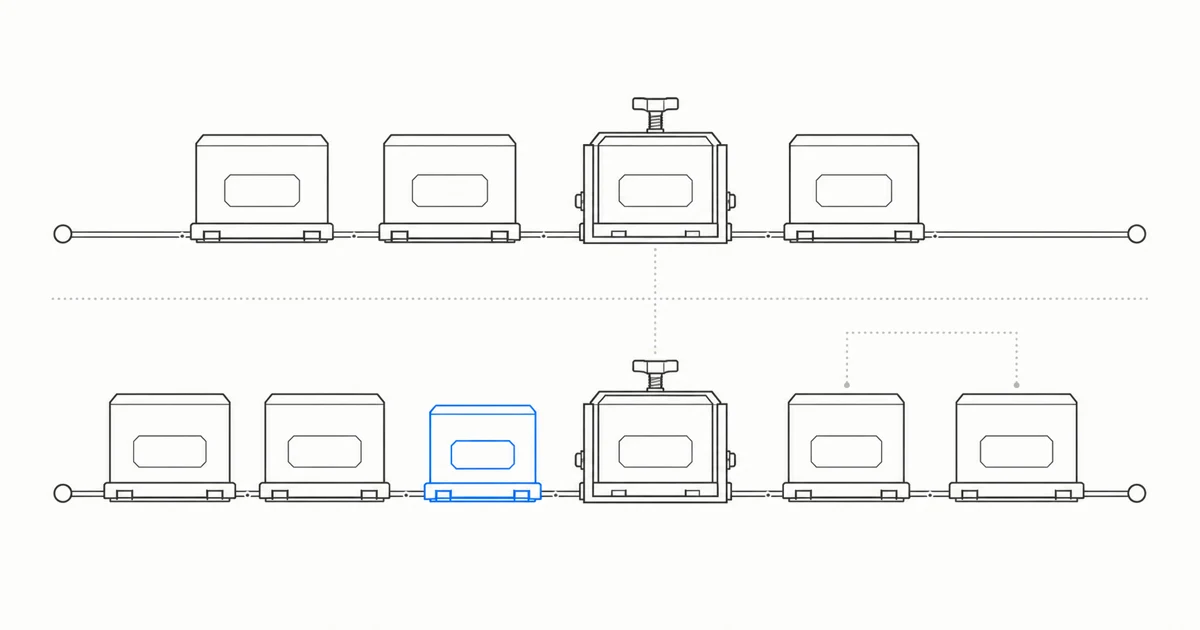
Turn an urgent request into an explicit planning input
Before a rush order enters the schedule, record the order, quantity, required or due date, priority, and the person who authorized that priority. Systems may represent these inputs as order priority, need-by date, requested date, or a manual override. The terms need to map to the fields the factory actually uses.
SAP documents manual order-priority changes and priority-dependent sequencing. Oracle documents a new solve after changes such as a need-by override. In both products, explicit planning inputs affect calculation, but neither determines which customer matters most to the business. A verbal request for urgency should not silently become the highest system priority.
This first step determines what the later comparison means. Without an authorized priority, a candidate schedule remains a calculated option rather than a formal instruction to the customer or shop floor.
Preserve the current schedule before running the rush scenario
An impact assessment needs the current schedule without the rush order as its baseline. Add the rush order in a second version while keeping the same data cutoff, planning scope, resource calendars, and constraint definitions. Microsoft supports multiple master plans for simulation, and Siemens describes comparing multiple planning scenarios.
Schedules from different data timestamps are difficult to compare directly. If downtime, receipts, processing times, or other orders also change between the two versions, their date differences cannot all be attributed to the rush order. Record the baseline, the candidate, and every additional input change.
A read-only first validation can follow the same method. Kavop preserves the current schedule and uses the same order snapshot to produce a rush-order option. The question is whether the impact becomes reviewable. A file comparison does not demonstrate completed integration or real-time synchronization.
Finite capacity makes rush work compete for the same time
Finite-capacity planning accounts for resource capacity that is already reserved. When the required machine has no remaining slot in the target period, the schedule must place the rush work later or move other eligible tasks. Microsoft also documents that dates can move out when remaining capacity is insufficient.
Finding a theoretical opening for the rush order alone is therefore incomplete. Operations have precedence, machines follow calendars and downtime, and existing orders already consume time. The recalculation scope needs the orders that compete for those resources so both the rush date and changes to existing dates become visible.
A rush order does not necessarily delay every existing order. It may fit an open slot, use a valid alternate, or change only part of the sequence. The result depends on routings, calendars, occupied capacity, priority rules, materials, and planning horizons. Review the actual differences in this version.
List every existing order that changed
After solving the candidate, compare the start date, completion date, resource, and sequence of every existing order. Add orders that become later or earlier, move resources, change queue position, or acquire a different material dependency to the impact list. Unchanged orders can remain in the comparison so the team can review the full scope and see which orders did not move.
Oracle Production Scheduling documents late work orders, late demands, utilization, changeover time, shortages, and supply-demand pegging as analysis aids. These views help planners trace changes, but their filters, display scope, and pegging rules still matter. An order missing from the current Gantt view is not evidence that it has no impact.
A practical difference table records the baseline completion date, candidate completion date, first changed operation, primary constraint, and proposed action. A date movement is a scheduling result. A person with customer-commitment authority still decides whether a promised date changes.
Inspect resources, materials, and changeovers separately
When an order moves late, locate the operation and resource where it waits. Check the resource calendar, occupied time, downtime, pooled capacity, and valid alternates. Low average utilization across the plant does not prove that a critical machine has capacity on the days when the rush order needs it.
Material creates a different dependency. Oracle documents a workflow in which raising one work order's material-assignment priority can reallocate material from lower-priority work and preview other impacted work orders. That is an Oracle product capability. It should not be recast as proof that Kavop currently performs automatic allocation or transaction write-back.
A changed sequence can also alter setup or cleanup time. Oracle and Siemens both document sequence-dependent changeover rules. A factory needs a verified changeover matrix or operating rule before a candidate should calculate that difference. Without the rule, record it as an open condition rather than infer setup cost from an order name.
Firm or started work must not move silently
Near-term plans often contain a protected period. Work may already be firm, released, kitted, started, or inside a fixed or frozen horizon. SAP, Microsoft, and Oracle use different terms for these controls, all of which relate to short-term schedule stability. Each implementation needs to map them to its own systems and process.
The business may still approve an exception. Record which work moved, who approved the break from the normal protection rule, and whether the shop floor and affected order owners were notified. A high rush priority does not remove those responsibilities.
A candidate that advances the rush order by moving work already in production carries a different risk from one that moves an unapproved planned order. The impact table needs the status of each affected task, not only a new timeline.
Compare tradeoffs with the same result fields
At minimum, keep a baseline and one rush-order version. When data and authorization permit, a team can also evaluate a revised due date, alternate resource, calendar change, order split, approved substitute, or deferral of lower-priority work. State every assumption. Unapproved overtime or substitute material is not available capacity.
Use the same result fields for every version. When can the rush order finish? Which existing orders become earlier or later? Where is the constraint? Is material short? How does changeover time move? Which protected tasks need an exception? The comparison then shows what the rush order gains and which commitments absorb the pressure.
This method makes no global-optimum promise. One version may complete the rush order sooner while delaying more existing work. Another may preserve current dates but require approved overtime or subcontracting. The system calculates visible differences while the business retains the operating choice.
Approve the version before deciding how to release it
Microsoft documents an optional planned-order approval step together with manual, automatic, and query-based firming. Oracle Production Scheduling separately exposes solve, manual adjustment, and release actions. Their terms and configurations differ, but both show that a schedule can be reviewed and controlled before it enters production execution.
Kavop currently leaves rush priority, shop-floor exceptions, and the final version with planners or another authorized owner. It presents comparable options and risk explanations, while the first round uses read-only inputs and makes no automatic write-back to production systems.
A reviewable rush-order decision should leave four records. Which version was selected, which existing orders changed, which risks remain unresolved, and who will release the plan to the shop floor and confirm the date to the customer. Without those records, a new Gantt chart is not yet a new authorized plan.
Sources
The guide draws on the following official documentation for rush-order recalculation, resource and material impact, changeovers, planning horizons, and release control. Product terms and capabilities differ, while Kavop's scope follows the read-only validation described on this site.
- SAP guidance on determining order priority
- Microsoft Learn finite capacity planning and scheduling
- Microsoft Learn master plans overview
- Microsoft Learn on viewing, managing, and approving planned orders
- Microsoft Learn on firming planned orders
- Oracle Gantt analysis and adjustment guidance
- Oracle solve and repair behavior
- Oracle work-order material availability assignments
- Oracle changeover rules
- Oracle schedule parameters
- Oracle release analysis and actions
- Siemens Opcenter advanced scheduling
- Siemens Opcenter planner scenario comparison
- SAP fixing and planning intervals
Put the current schedule beside the rush-order option and trace how existing work moves.
Use one anonymized order set from the same point in time to review the rush date, affected orders, constraints, and unresolved risk. Risk explanations cover late orders, bottlenecks, and rush-order impact within the represented scope. Findings from one sample cannot be extrapolated to the whole plant. File or snapshot intake does not establish real-time synchronization, bidirectional integration, conflict handling, or production-system write-back.