
How ERP, Excel, and APS work together in production scheduling
Many factories already maintain orders and materials in an ERP and build schedules in Excel. Planners still spend time reconciling due dates, machines, materials, and shop-floor changes. Each tool can be useful. The next question is whether the same current facts enter a repeatable scheduling process and who approves the version released to production.
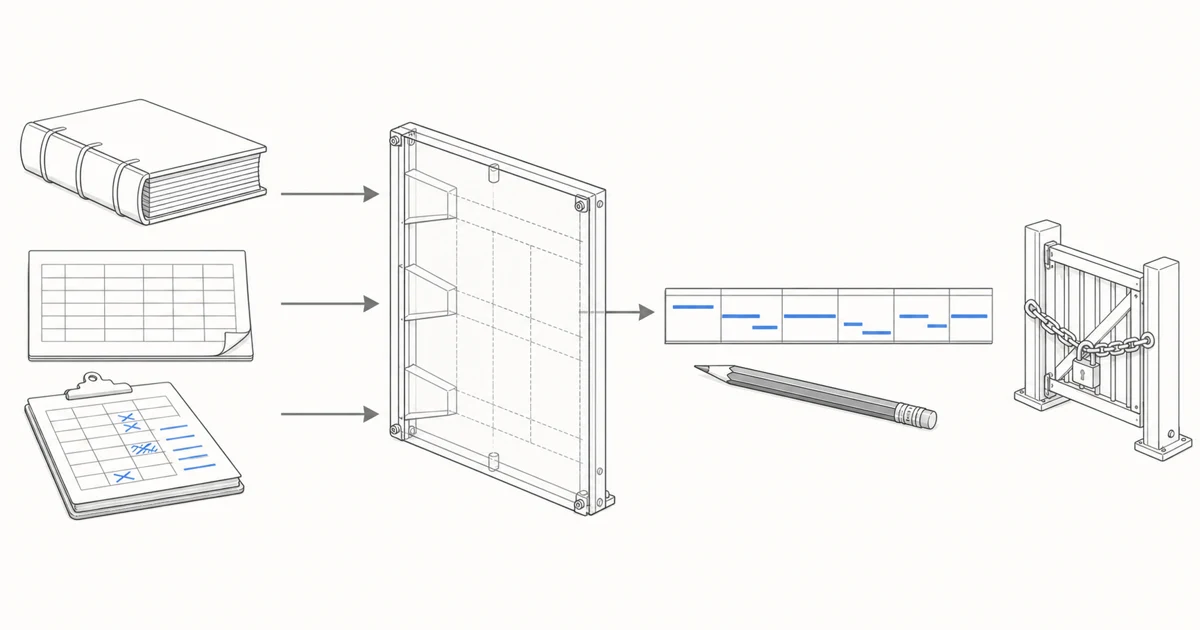
ERP already manages a substantial part of the record
Manufacturing ERP and supply-chain applications can hold orders, items, bills of material, routings, work centers, inventory, and production orders. These records provide the foundation for scheduling. The authoritative source for each field depends on the systems a company has actually implemented.
Some ERP products already include master planning, job scheduling, and finite-capacity functions. A separate APS case cannot rest on a product label alone. The useful test is whether the configured system represents the necessary operational detail, real constraints, due-date risk, and the way planners adjust the schedule each day.
A first assessment can list what the existing systems already do. Orders and master data remain in their current systems of record while the planning layer reads only the fields needed for the calculation. This makes it easier to identify whether the missing piece is data, rules, scheduling logic, or execution feedback.
Excel remains useful for practical reasons
Excel can carry system exports, transform fields, refresh queries, and maintain rule parameters. With supported Microsoft 365 versions and workbooks stored in OneDrive or SharePoint Online, teams can also co-author them. Planners use workbooks to record temporary arrangements, customer priorities, and shop-floor conditions that have not reached another system.
A workbook still needs clear ownership for formulas, validation, versions, and inputs. Microsoft documents cases where copied or filled data, formula errors, and calculation settings affect validation behavior. That evidence does not make spreadsheet data inherently wrong. It shows why controls and maintenance responsibility need to be visible.
Whether a workbook can schedule production depends on the logic built into it. A file extension does not settle the question. Teams need to know whether changing one order also updates the affected operations, resources, and promises, and whether the next planner can trace why the change was made.
Scheduling becomes difficult when constraints move together
When an order due date changes, downstream operations need new time slots. A required machine may already be occupied, while a critical material arrives two days late. The sequence that worked yesterday can quickly become infeasible. These connected changes are often what planners keep checking manually.
Finite-capacity scheduling checks the time-based availability of constrained resources. Detailed scheduling also uses operation sequence, processing time, resource requirements, materials, and priority rules to assign dated work to resources. The result should remain traceable to the order and routing information behind it.
A spreadsheet can model these relationships when the logic is fully implemented and maintained. As orders, operations, and daily changes multiply, the manual tracing burden grows. The practical evaluation concerns whether the current method can recalculate those relationships reliably and expose the cause of each conflict.
APS makes the scheduling calculation reviewable
APS can evaluate demand, routings, resource calendars, occupied capacity, materials, and operating rules in one planning process. It produces time-and-resource-assigned options and can compare tradeoffs such as due-date priority, balanced utilization, and fewer changeovers.
The output remains dependent on its inputs and rules. A system that does not know about planned downtime, or treats unavailable material as usable stock, will produce misleading dates. A useful APS process therefore exposes conflicts, assumptions, and causes of lateness or infeasibility so the team can correct data, change a rule, or renegotiate a promise.
Kavop's current public scope is centered on this planning layer. It works with ERP exports, spreadsheets, the current schedule, and shop-floor rules to generate comparable options and explain late orders, bottlenecks, and rush-order impact. Planners adjust and approve the result, and the first run makes no automatic write-back to production systems.
Execution feedback determines how long a plan stays current
A schedule uses data from a particular moment. Once production begins, completions, downtime, scrap, material receipts, and rush orders change the remaining work. When feedback does not return to the planning layer at an acceptable frequency, the initial schedule gradually moves away from shop-floor reality.
In representative ERP and MES architectures, ERP manages master data and production orders while MES handles work-in-process execution and reporting. The systems may exchange progress, inventory, batch, and quality transactions. Whether that division exists and how often it refreshes must be verified in the factory's actual implementation.
A factory without MES can still agree on a feedback method. Production reports, shop-floor spreadsheets, or scheduled status snapshots can update the plan. The data cutoff needs to remain visible so the team does not discuss today's promise from yesterday's state.
A first validation can use files without writing back
Oracle documents loading planning data from CSV files and external systems. ERP exports, spreadsheets, the current schedule, and a snapshot of operating rules can therefore provide a technically credible starting point for a bounded validation.
That step does not constitute a completed integration. One file import proves nothing about incremental synchronization, permissions, error handling, real-time feedback, or automatic write-back. It can answer a narrower question. Given the same order set and shop-floor state, does the candidate plan explain late orders, bottlenecks, and rush-order impact more clearly?
A reviewable comparison records export time, planning scope, file version, missing fields, manual assumptions, and the current schedule baseline. Planner changes to priority and resource choice stay with that record. The team can then separate differences caused by calculation, data, and operating judgment.
Automated scheduling still needs a clear release owner
Across the cited Oracle and Microsoft products, documented controls include automated solving, manual resequencing, alternate resources, date overrides, firming, and review. Depending on the product, teams can either release schedule results to manufacturing or convert planned orders into actual orders. Schedule calculation and production release can remain separate steps.
Customer priority, overtime, subcontracting, changeovers, and alternate resources involve operating choices. Someone must also judge exceptions that the model has not captured. Kavop currently leaves those decisions with planners or another authorized owner while making the calculation, risk, and change record visible.
Before selecting APS, a team can answer five questions. Which system owns each order and master-data field? Who maintains the workbook rules? Do multiple order changes trigger a shared constraint calculation? How often does execution status return? Which schedule version is authorized for release? Specific answers make the first validation easier to evaluate.
Sources
The roles described here draw on the following official documentation. Actual system responsibility depends on each implementation, while Kavop's scope follows the read-only validation described on this site.
- Microsoft Learn production process overview
- Microsoft Learn finite capacity planning and scheduling
- Microsoft Learn on viewing, managing, and approving planned orders
- Microsoft Learn on firming planned orders
- Microsoft Support on Power Query management and refresh
- Microsoft Support on Excel workbook co-authoring
- Microsoft Support on Excel data validation boundaries
- Siemens overview of advanced planning and scheduling
- SAP guidance on ERP and manufacturing execution integration
- Oracle guidance on loading planning data from files
- Oracle Production Scheduling user guide
Put the ERP export beside the schedule you already use and trace where the difference begins.
Compare the current method and a candidate plan on one anonymized order set from the same point in time. The first round stays read-only and makes no production write-back. Risk explanations cover late orders, bottlenecks, and rush-order impact within the represented scope. File or snapshot intake does not establish real-time synchronization, bidirectional integration, conflict handling, or production-system write-back.