
How to assess the impact of a production schedule change
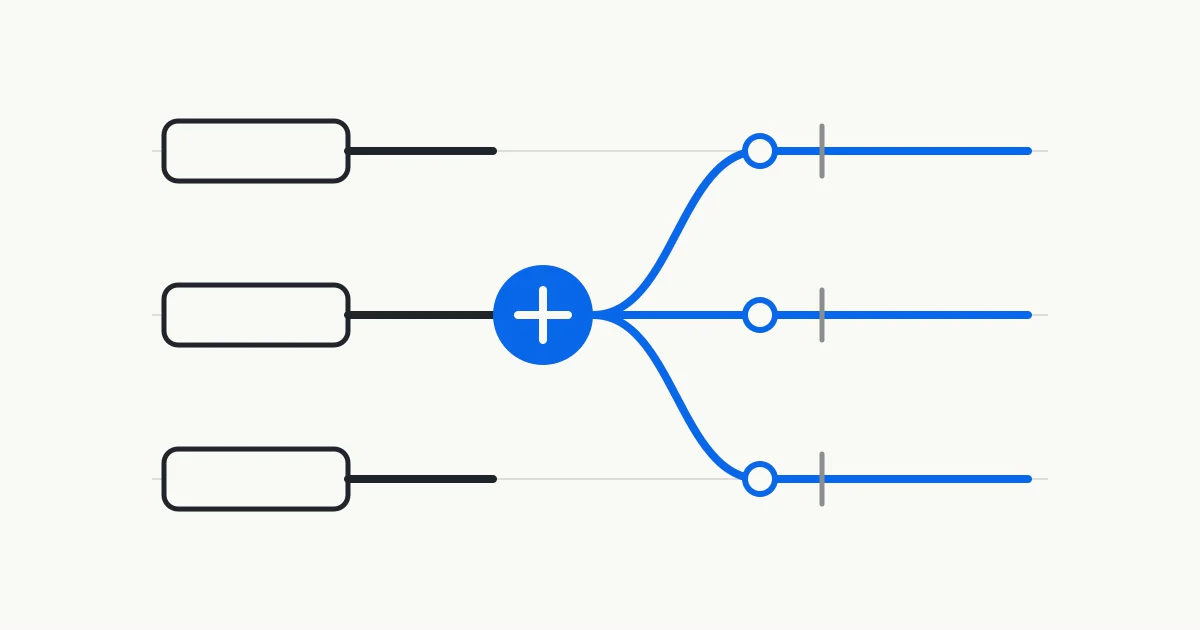
A schedule change rarely moves one order alone. A rush order consumes capacity that another operation expected to use. Downtime reduces the available window, while a late material arrival can move downstream work into another shift. Planners need the original baseline, reconciled execution facts, and a clear view of every order affected by a candidate change.
Record the baseline and the change
Preserve the order dates, operation sequence, resource assignments, and data cutoff from the schedule before the change. Without that baseline, the team sees only the latest result. It becomes difficult to tell which orders moved earlier, which moved later, and whether the difference came from a new event or a data refresh.
Record the change separately. Common causes include a rush order, a revised quantity or due date, equipment downtime, a shift adjustment, a material arrival change, and new production progress. The record should identify the affected object, effective time, source, and person who confirmed it. When several changes arrive together, keep each one visible so the final explanation remains traceable.
Fix the analysis scope at the same time. The plant, resources, order states, planning horizon, frozen range, and time zone belong in the record. Microsoft documentation shows how planning horizons, freezing, and firming settings affect the scope processed by a master plan. Those fields belong to Dynamics, so every source system still needs its own definitions checked.
Reconcile production facts that have already occurred
A revised schedule begins with the current production facts. Started operations, completed quantity, actual time, material consumption, errors, and completion status can all change the remaining work. Microsoft production feedback documentation lists these records as part of execution feedback and describes updates through production journals and a production-floor execution interface.
Check the source and timestamp before feedback enters the analysis. An operation that is complete but still carries its full remaining load can make future capacity appear too tight. Time consumed on the floor without a corresponding record can create false headroom. Missing information belongs on an exception list and should not be silently replaced with zero.
Downtime, absence, and temporary operating rules also require confirmation. A planning calendar represents modeled availability, while shop-floor facts may have changed. The analysis record should separate confirmed facts from open checks so the planner can see which judgments have recorded support and which still require shop-floor confirmation.
Separate a data refresh from a recalculation
Refresh and recalculation serve different purposes. A refresh brings new work orders, attributes, resource capacity, and availability into the schedule. Recalculation uses those inputs to place operations, check represented constraints, and produce a new candidate.
Oracle production scheduling documentation separates refresh from solve. It also explains that a refresh can discard the current schedule solution, calendar events can move operations, and demand and supply relationships become accurate after the solve. These behaviors belong to Oracle. They still illustrate why a team needs to know whether it is viewing newly refreshed data or a candidate calculated from that data.
A planner may refresh first, review the order and resource changes, and then decide whether to calculate a new candidate. This creates a stopping point when the input is clearly wrong. The analysis record should retain the refresh status and calculation time so an older candidate is not mistaken for the current assessment.
Trace the impact through operations and resources
Operation precedence and resource competition determine how one change reaches other orders. The NIST manufacturing activity model explains that a delayed job step can affect later steps in the same job and other jobs waiting for the same resource. Routing, resources, material, tooling, maintenance, and personnel calendars all enter detailed scheduling.
Oracle Gantt analysis brings late work orders, late demand, resource utilization, changeovers, and upstream and downstream relationships into the same scheduling environment. A planner can begin at the change and inspect which operation lost its previous slot, which order now uses the same resource, and which completion date moved as a result.
Relationships narrow the investigation. They do not establish a complete cause on their own. A later order may reflect resource conflict, material timing, fixed operations, confirmed production, or routing data. The model can also omit an operating rule known on the floor. An impact list therefore needs the data and rules behind it, followed by planner confirmation.
- Order date or priority change
- Review the new position of that order and the existing orders that use the same resource or neighboring time window.
- Equipment downtime or shift change
- Locate the periods that lost capacity and trace the operations previously assigned to those periods.
- Material or supply timing change
- Find operations that lost their start condition and check whether another order uses the released resource window.
- Production progress change
- Relieve completed work first, then inspect remaining operations, downstream relationships, and resource release time.
Compare candidates against one baseline
Once the affected scope is clear, the team can compare response options. A candidate may change sequence, use an eligible resource, split quantity, move unprotected work, or apply an approved shift change. Every candidate should use the same data cutoff and order scope, with each changed rule or condition disclosed.
Oracle makes a specific distinction between solve and repair. Manual resequencing, moving operations, and changing resources can call for repair, while changes to the need-by date, earliest start, firm state, inventory, or supply call for a solve. Other products may use different terms. The useful principle is that different kinds of change can require different levels of recalculation.
Microsoft master planning material allows separate plans for daily work and simulation. This offers one reference for keeping a candidate apart from the current baseline. A comparison should show order dates, resource assignments, operation sequence, and risk changes together. A new Gantt view by itself does not show who carries the tradeoff.
Keep review, confirmation, and release separate
Oracle presents creation, refresh, solve, review and adjustment, and release as separate production scheduling tasks. The sequence leaves room for review after a candidate has been calculated. Planners still check frozen orders, customer priorities, operating limits, and data gaps before an authorized company representative decides whether to use it.
Microsoft documentation explains that firming a planned order in Dynamics can create an actual production, purchase, or transfer order. That action changes business records and has a different consequence from reviewing a candidate. Approving a plan and formally releasing it in the system should therefore be managed as two separate steps.
A reviewable candidate should retain its version, creation time, source snapshot, changes, affected orders, and open questions. If the team later uses a different candidate, the earlier comparison remains available. The authorized decision stays with the manufacturer.
Record change impact order by order
Place the baseline beside the candidate and list date changes, moved operations, resource changes, the first point of impact, and data that still needs confirmation for each order. Keep unchanged orders in the comparison as well, so the team can see who was covered by the review.
Use the same output fields across response candidates to show how existing order dates, resources, and sequence change. Findings cover only the orders, routings, calendars, material information, and rules provided for the review. Planners still add shop-floor conditions that remain outside the model.
Kavop uses company-provided snapshots to build new plans and explain late-order, bottleneck, capacity, material, and rush-order risks. The first round stays read-only. Planners review the plans, and an authorized company representative decides what happens next.
Sources
This guide draws on official Oracle, Microsoft, and NIST material. Third-party product documentation describes objects and behavior in the stated versions. It does not imply endorsement of Kavop.
- Oracle Fusion Cloud SCM 26B Production Scheduling Tasks and Business Flows
- Oracle Fusion Cloud SCM 26C Refresh and Solve Actions
- Oracle Fusion Cloud SCM 26B Solve and Repair Behavior
- Oracle Fusion Cloud SCM 26C Analysis and Adjustment Using the Gantt Chart
- Microsoft Learn Production Feedback
- Microsoft Learn Master Plans Overview
- Microsoft Learn Firm Planned Orders
- NIST SIMA Manufacturing Activity Reference Model
See which orders move when a production schedule changes
The demo puts the baseline beside the new plan and lists changed orders, operations, resources, and conditions for planner confirmation.